
Let me tell you something I’ve learned the hard way after helping dozens of small and mid-sized businesses implement AI-driven automation over the past five years: throwing “AI” at your operations doesn’t automatically make things better. In fact, it can make them worse if you’re not thoughtful about it.
But when done right? It’s like giving your team superpowers.
I remember walking into a boutique marketing agency last year. Ten employees are drowning in repetitive tasks, scheduling social posts, tagging leads in CRM, and generating performance reports. They were working 60-hour weeks and still falling behind. We implemented a simple AI workflow that automated lead categorization and report generation. Within three weeks, their team reclaimed 15 hours per person, every week. That’s not magic. That’s smart business automation using AI.
What Exactly Is Business Automation Using AI?
At its core, it’s about using artificial intelligence to handle routine, rules-based, or data-heavy tasks so humans can focus on strategy, creativity, and customer relationships. Think of it as your digital workforce, tireless, fast, and increasingly intelligent. Unlike traditional automation (which follows rigid if-then rules), AI-powered automation learns and adapts.
For example:
- A chatbot that doesn’t just answer FAQs but understands context and sentiment to route complex queries to the right human.
- An invoicing system that predicts late payments based on client history and proactively nudges accounts receivable.
- A hiring tool that scans resumes not just for keywords but for cultural fit and potential red flags based on past successful hires.
This isn’t science fiction. Tools like Zapier + OpenAI, Make.com with vision models, or enterprise platforms like UiPath and Microsoft Power Automate are making this accessible even to non-tech teams.
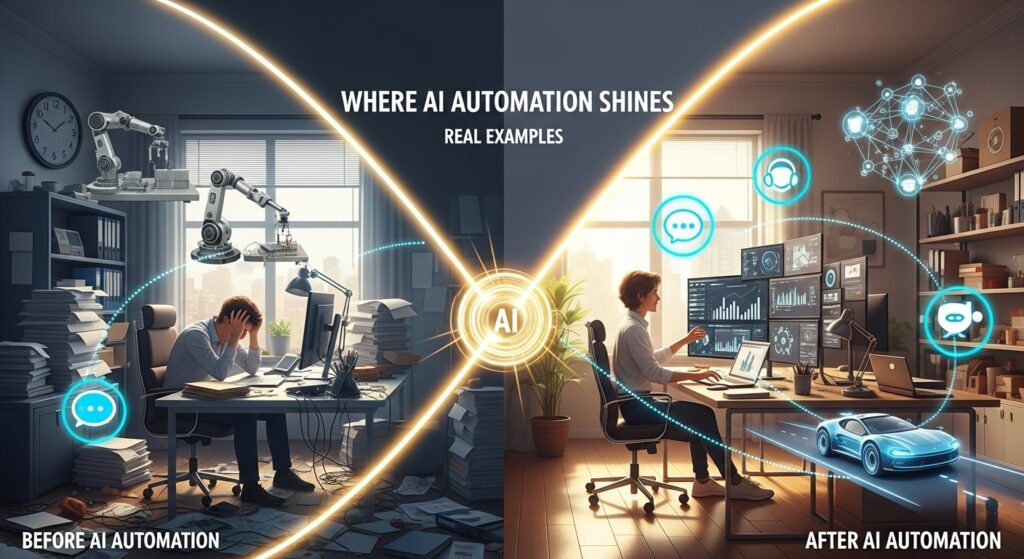
Where AI Automation Shines (Real Examples)
1. Customer Service & Support
One e-commerce client of mine was getting slammed during the holiday season, 80% of support tickets were “Where’s my order?” or “How do I return this?” We trained an AI assistant using their past ticket data. Result? First-response time dropped from 4 hours to 47 seconds. Human agents now handle only escalated issues, and customer satisfaction scores jumped 32%.
2. Sales & Lead Management
Another company used to manually score leads based on website behavior. Took hours. Now, their AI model analyzes browsing patterns, email opens, and even LinkedIn activity to assign dynamic lead scores. Their sales team closes 27% more deals because they’re spending time on hot prospects, not cold calls.
3. Operations & Back Office
A regional accounting firm automated invoice processing using AI that reads PDFs, extracts line items, matches POs, and flags discrepancies. What used to take 3 staff members 2 days now takes 20 minutes. Errors? Down by 91%.
The Hidden Costs (Yes, There Are Some)
Here’s where most consultants won’t tell you the truth: AI automation isn’t plug-and-play.
You need clean data. If your CRM is full of duplicates or your file naming is chaotic, the AI will stumble or, worse, make bad decisions confidently. You need change management. People fear being replaced. One warehouse manager told me, If the robots take over inventory, what am I here for?
We shifted his role to overseeing the AI system and training new staff. He got a raise and less back pain. Win-win. You also need ongoing tuning. AI models drift. A chatbot trained on 2022 data might not understand 2026 slang or new product lines. Budget for maintenance at least 10–15% of the initial setup cost annually.
How to Start Without Blowing Your Budget
Don’t boil the ocean. Start small. Pick one painful, repetitive task that eats up at least 5 hours a week. Automate that. Measure results. Then scale.
Tools I recommend for beginners:
- Zapier + OpenAI: For text generation, summarization, and classification.
- Make.com (formerly Integromat): More visual, great for multi-step workflows.
- Bardeen.ai: Browser-based automations perfect for sales and research teams.
- Microsoft Power Automate: If you’re already in the Microsoft ecosystem.
Pro tip: Always keep a human in the loop for critical decisions. AI should assist, not replace judgment. Especially in areas like HR, legal, or finance.
Ethical Considerations (Because Someone Has to Say It)

Automating layoffs? Bad idea. Using AI to monitor employee keystrokes without consent? Worse.
Transparency matters. Tell your team what’s being automated and why. Involve them in testing. Let them flag edge cases. AI works best when it’s collaborative, not dictatorial. Also, bias is real. An AI trained on biased hiring data will perpetuate that bias. Audit your datasets. Use fairness-checking tools. And never fully automate high-stakes decisions without human oversight.
The Future? Hybrid Intelligence
The most successful companies aren’t replacing humans with AI, they’re augmenting them.
Imagine your sales rep getting real-time AI suggestions during a Zoom call: “Client mentioned budget concerns, suggest payment plan B.” Or your project manager sees predictive delays before they happen: “Based on current velocity, launch slips to June, adjust resources?”That’s the sweet spot. AI handles the heavy lifting. Humans bring empathy, ethics, and big-picture thinking.
Final Thoughts
Business automation using AI isn’t about flashy tech demos. It’s about reclaiming time, reducing errors, and empowering your people to do work that actually matters. Start small. Stay ethical. Keep humans in charge. And measure everything. The ROI isn’t just in dollars saved, it’s in morale gained, innovation unlocked, and customers delighted.
FAQs
Q: Do I need a data scientist to implement AI automation?
A: Not anymore. Many no-code/low-code tools handle the heavy lifting. Basic tech literacy is enough to start.
Q: How long does it take to see results?
A: Simple automations show ROI in days or weeks. Complex ones may take 2–3 months to tune and scale.
Q: Is AI automation expensive?
A: Entry-level tools start at $20–50/month. Enterprise solutions cost more but often pay for themselves in efficiency gains within months.
Q: Will AI replace my employees?
A: It replaces tasks, not people. Smart companies redeploy staff to higher-value roles, which often means promotions or skill growth.
Q: What’s the biggest mistake businesses make?
A: Automating broken processes. Fix the workflow first, then add AI. Garbage in = garbage out.
Q: Can AI handle creative work?
A: Partially. It can draft copy, suggest designs, or brainstorm ideas, but human editing and direction are still essential.
Q: How secure is AI automation?
A: Depends on the vendor. Choose platforms with SOC 2 compliance, end-to-end encryption, and clear data policies. Never feed sensitive data into public AI models.
Q: What industries benefit most?
A: All of them, but especially customer service, e-commerce, finance, healthcare admin, logistics, and marketing.
Q: Can I automate without coding?
A: Absolutely. Tools like Zapier, Make, and Bardeen are built for non-developers.
Q: How do I know if my business is ready?
A: Ask: Are we drowning in repetitive tasks? Is the data scattered or messy? Do employees complain about busywork? If yes, you’re ready.
—

Related Posts